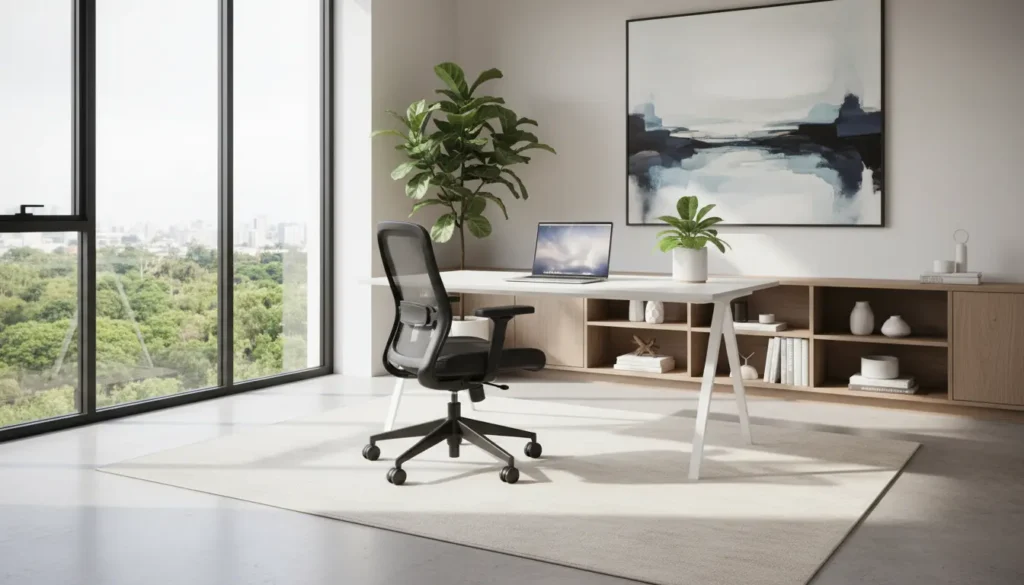
Designing a practical home office setup for remote work
Setting up a home office for remote work is about making choices that reduce friction and support focus. This guide covers the essentials: furniture, tech, lighting, noise control, and routines you can implement quickly.
Start with ergonomics in your home office setup
Ergonomics prevents discomfort and supports long-term productivity. Invest in a chair and desk height that keep your body in neutral alignment.
- Chair: Adjustable lumbar support and armrests help reduce strain.
- Desk: Aim for elbows at 90 degrees when typing; use a standing desk or converter if needed.
- Monitor: Top of the screen should be at or slightly below eye level.
Quick ergonomic checklist
- Feet flat on the floor or on a footrest
- Neutral wrist position when typing
- Screen distance about an arm’s length
Improve lighting for better focus and less eye strain

Lighting influences alertness and comfort. Natural light is best, but supplement with task lighting to avoid glare on screens.
- Position desk near a window when possible, perpendicular to direct sunlight.
- Use a soft, adjustable desk lamp for afternoon or evening work.
- Choose daylight bulbs (4000K–5000K) for accurate color and alertness.
Manage noise and interruptions in your home office setup
Noise control helps preserve concentration, especially during meetings. Use a mix of physical and behavioral strategies to reduce interruptions.
- Headphones with active noise cancellation for calls and focus periods.
- Soft furnishings, rugs, and curtains to absorb sound.
- Set clear household boundaries and visible signals for meeting times.
Low-cost noise reduction tips
- Place a bookshelf against a shared wall to block sound.
- Use a white noise app or fan to mask disruptive noises.
Essential tech and connectivity for a reliable home office setup
Reliable hardware and a stable internet connection form the backbone of remote work. Prioritize what will reduce pain points during the workday.
- Router: Place centrally and upgrade to a modern dual-band router if needed.
- Wired ethernet: Use when possible for video calls and large file transfers.
- Backup power: A small UPS protects against brief outages during critical meetings.
Recommended accessories
- External monitor and keyboard for better posture and efficiency
- USB hub or dock to manage peripherals cleanly
- HD webcam and a quality microphone for clear communication
Layout and storage for a tidy home office setup

Clutter creates cognitive load. Design a layout that separates active work areas from storage and reference materials.
- Keep frequently used items within arm’s reach.
- Use vertical storage like shelves to save floor space.
- Adopt a weekly 10-minute tidy routine to clear the workspace.
Daily routines and boundaries to protect focus
Routines anchor your day and signal the start and end of work. Consistent rituals reduce decision fatigue and maintain work-life balance.
- Start with a short checklist: calendar review, priority tasks, and email triage.
- Use time blocks for deep work and schedule meetings in dedicated slots.
- Close your laptop and physically leave the workspace at the end of the day.
Case study: Small home office, big gains

Maria, a product manager, converted a 6×8 ft spare bedroom into her home office. She focused on three priorities: ergonomics, lighting, and noise control.
After upgrading to an adjustable chair and adding a monitor, she reported less neck pain within two weeks. A daylight lamp and repositioned desk near the window reduced afternoon fatigue. She installed noise-cancelling headphones and scheduled household quiet hours during key meetings.
Results after one month: fewer interruptions, higher focus during planning sessions, and a clearer end-of-day routine that reduced burnout.
Examples and quick setups by budget
Not every setup requires a big investment. Here are practical configurations by budget.
- Under $200: Supportive desk chair, clip-on LED lamp, and a second-hand monitor.
- $200–$800: Ergonomic chair, monitor arm, good webcam, and a wired ethernet adapter.
- $800+: Adjustable sit-stand desk, dual monitors, quality headset, and professional lighting.
Final checklist for your home office setup
- Ergonomic seating and correct monitor height
- Bright, non-glare lighting with task lamp
- Reliable internet and essential tech accessories
- Noise management and clear household boundaries
- Daily routines to start and end the workday
Implement the checklist one step at a time. Small changes add up, and improving the home office setup for remote work often yields quick returns in comfort and productivity.