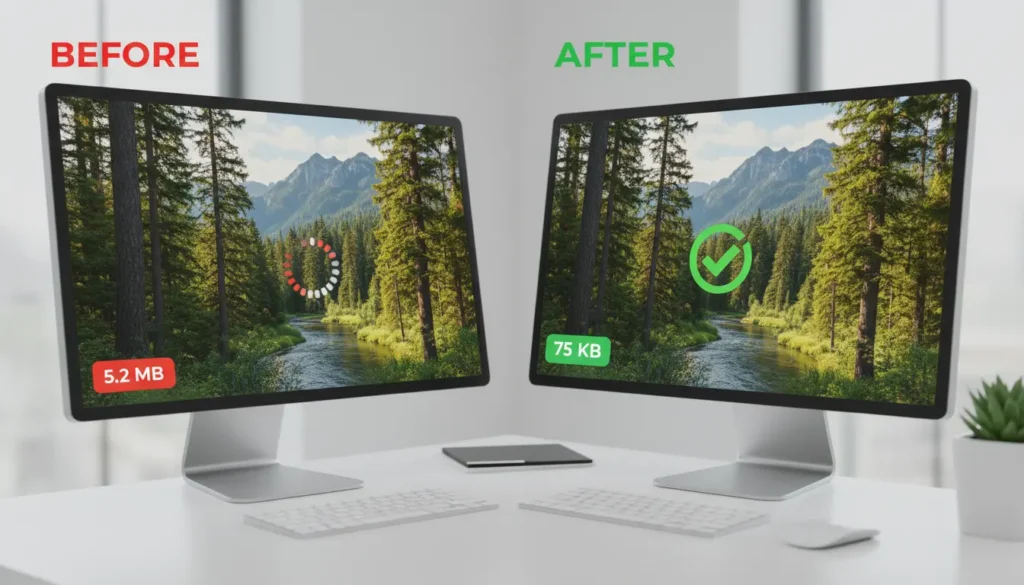
Faster pages give visitors a better experience and improve search rankings. This guide explains how to improve website loading speed with practical, step-by-step actions you can apply today.
Why improve website loading speed
Slow sites lose visitors, conversions, and search visibility. Studies show user engagement drops significantly when pages take more than a few seconds to load.

Improving load time reduces bounce rate and often increases conversions. It also helps mobile users on slow networks.
How to improve website loading speed: quick checklist
Use this checklist to prioritize work. Start with the items that are easiest to fix, then move to server and architecture changes.
- Measure current speed with tools like PageSpeed Insights, GTmetrix, or WebPageTest.
- Optimize and compress images.
- Enable browser caching and server compression.
- Use a Content Delivery Network (CDN).
- Minify CSS, JavaScript, and HTML.
- Reduce server response time and database queries.
- Defer noncritical scripts and use lazy loading.
Measure before you change
Always measure performance before and after each change. This proves impact and avoids accidental regressions.

Recommended tools:
- Google PageSpeed Insights for lab and field data.
- GTmetrix for waterfall charts and resource timing.
- WebPageTest for advanced testing and filmstrip view.
Optimize images to improve website loading speed
Images often account for the majority of page weight. Optimize them first for big wins.
- Choose modern formats: WebP or AVIF when supported.
- Compress images without visible quality loss using tools like Squoosh or ImageOptim.
- Serve scaled images: match image dimensions to display size, not full camera resolution.
- Use responsive images with srcset for different device widths.
Use caching and compression
Caching reduces repeated work for returning visitors and speeds up page loads.
- Enable GZIP or Brotli compression on your server for text assets.
- Set long cache headers for static resources and use cache-busting filenames for updates.
- Implement server-side or reverse-proxy caching for dynamic pages when safe.
Content Delivery Network (CDN)

A CDN stores copies of assets on servers close to users. This reduces latency and speeds up asset delivery worldwide.
Choose a CDN provider and configure static assets, fonts, and large files to be served through it.
Minify and combine files
Minifying removes unnecessary characters from CSS, JavaScript, and HTML. This reduces file size and speeds up download.
Where appropriate, combine small CSS or JS files to reduce HTTP requests, but be careful with caching and update frequency.
Optimize critical rendering path
Prioritize content users see first by inlining small critical CSS and deferring nonessential scripts.
- Mark scripts as async or defer to prevent render-blocking.
- Load third-party scripts (ads, trackers) asynchronously or after the main content.
Improve server response time
Slow servers can nullify front-end optimizations. Aim for Time To First Byte (TTFB) under 200ms where possible.
Steps to improve server speed:
- Upgrade hosting plan or use managed hosting tuned for your platform.
- Use database indexing and optimized queries to reduce backend time.
- Consider PHP-FPM tuning, caching plugins, or an application cache layer.
Advanced techniques to improve website loading speed
After basic fixes, apply advanced methods to squeeze more performance.
- Use HTTP/2 or HTTP/3 for multiplexing and reduced latency.
- Serve critical images via low-quality placeholders and swap them with full versions (LQIP).
- Adopt a service worker to cache assets for repeat visits and offline support.
Even a 100 millisecond improvement in page load time can increase conversion rates and user satisfaction. Page speed affects SEO, user engagement, and bounce rate.
Small real-world example
Example: An e-commerce site had a 6.8 second average load time. After compressing images, enabling Brotli, and moving assets to a CDN, the load time dropped to 2.1 seconds.
Results within four weeks included a 22% drop in bounce rate and a 14% uplift in completed checkouts.
Case study: Local news site speed fix
A local news site serving articles and photos struggled with mobile performance. The team followed a focused plan:
- Replaced heavy JPEGs with optimized WebP images.
- Deployed a CDN and enabled edge caching for images and static scripts.
- Minified CSS and deferred analytics scripts.
Outcome: Largest contentful paint (LCP) improved from 4.5s to 1.8s. Mobile pageviews per session increased by 12%.
Ongoing maintenance and monitoring
Speed is not a one-time project. Include performance checks in your release process and monitor real user metrics.
Automate tests with synthetic monitoring and set alerts for regressions in key metrics like LCP, FID, and CLS.
Summary checklist
- Measure baseline performance.
- Optimize images and media delivery.
- Enable compression and caching.
- Use a CDN and modern protocols.
- Minify and defer noncritical assets.
- Monitor and iterate regularly.
Following these practical steps will improve page speed, user experience, and search performance. Start with measurement, apply quick wins, then move to server and architectural changes for lasting gains.